 Sign up with Google
The screenshot API for AI agents.
Ask your AI for a screenshot of a web page. It gets a clean image back in seconds, with no code to write.
Trusted by more than 100 developers, QA teams, marketers and SEO teams.
 ChatGPT
 Claude
 Code
Claude
Claude Code
 Cursor
Codex
Cursor
Codex
 Gemini CLI
 VS Code
 Windsurf
 Cline
Cline
 Zed
Zed
 Copilot CLI
 Hermes Agent
 n8n
n8n
 Zapier
 LangChain
 Le Chat
 Copilot Studio
 LM Studio
 Open WebUI
 LibreChat
Copilot in JetBrains
Copilot coding agent
LibreChat
Copilot in JetBrains
Copilot coding agent
 Junie
Junie
 Roo Code
 Kilo Code
 Continue
 OpenCode
 Amp
Amp
 Warp
Warp
 Kiro
Kiro
 Antigravity
 Qwen Code
 Kimi Code
 Amazon Q Developer
 Replit
 Lovable
 goose
goose
 Make
Make
 Claude API
OpenAI Agents SDK
Claude API
OpenAI Agents SDK
 Vercel AI SDK
 CrewAI
 Pydantic AI
 Mastra
Google ADK
Mastra
Google ADK
 Other MCP clients
 United States
 United Kingdom
 Germany
 France
 Spain
Spain
 Italy
Italy
 Netherlands
 Canada
 Australia
 Brazil
 Mexico
 Japan
Japan
 South Korea
 India
India
 Singapore
 Switzerland
 Sweden
 Poland
 Turkey
 United Arab Emirates
 South Africa
 Nigeria
 Argentina
 Indonesia
Set up in one line. MCP, CLI or API.
Pick your tool and copy one line. Then your agent can take screenshots on its own.
claude mcp add --transport http localscreenshot https://api.localscreenshot.com/mcp \
  --header "Authorization: Bearer $LOCALSCREENSHOT_API_KEY"
We only show a setup once we have checked it in the tool's own documentation. Until then, the REST API works today: one request, from the language or tool you already use.
$LOCALSCREENSHOT_API_KEY with your key. Get your key in your dashboard
Take clean screenshots. Switch off what gets in the way.
Choose what stays, what disappears and how the page looks. No code needed: just tell your agent.
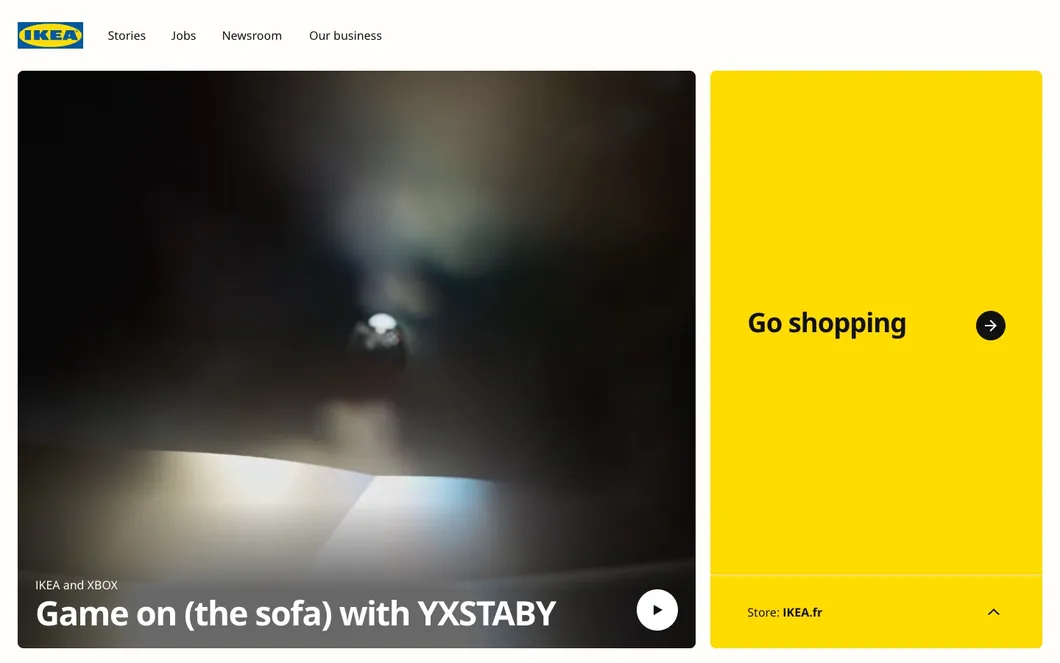
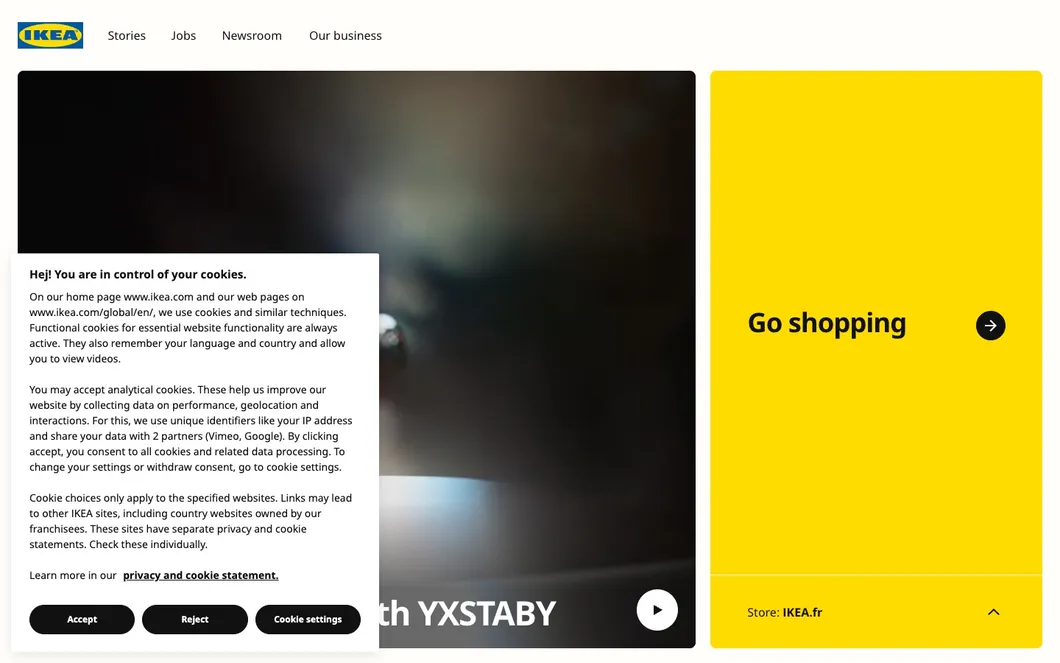
The picture shows the cookie banner switch on a real page. We remove most cookie banners, not every one. We only clean up pages you can already open: no paywalls, CAPTCHAs or sign-ins.
Desktop, tablet, phone, or just one element.
Desktops, laptops, tablets and phones come ready-made. Pick one by name, set your own size, or capture a single button or image.
-
viewport=1440x900captures what fits the screen you set -
full_page=truecaptures the full scrollable page, lazy images included -
device=iphone_15picks a ready-made phone, tablet or desktop -
orientation=landscapeturns that phone or tablet on its side -
selector=.ctacaptures one element. Or just describe it: “only the Sign up button”
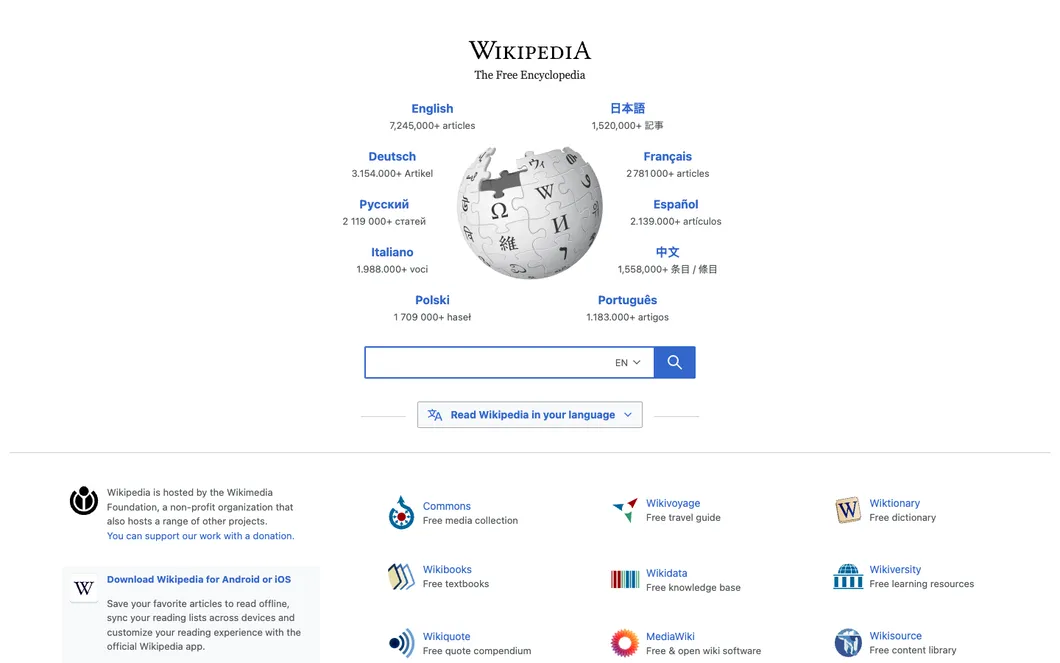
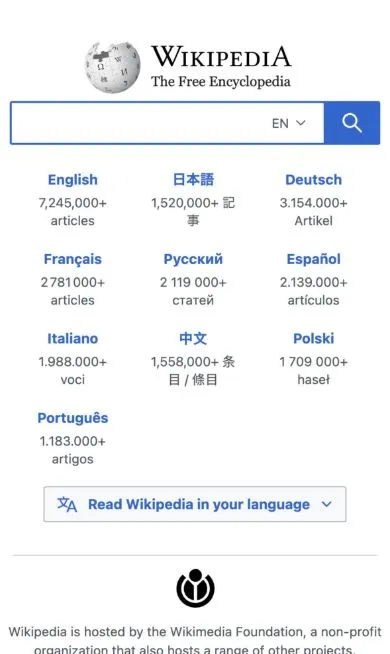
Take a screenshot from another country.
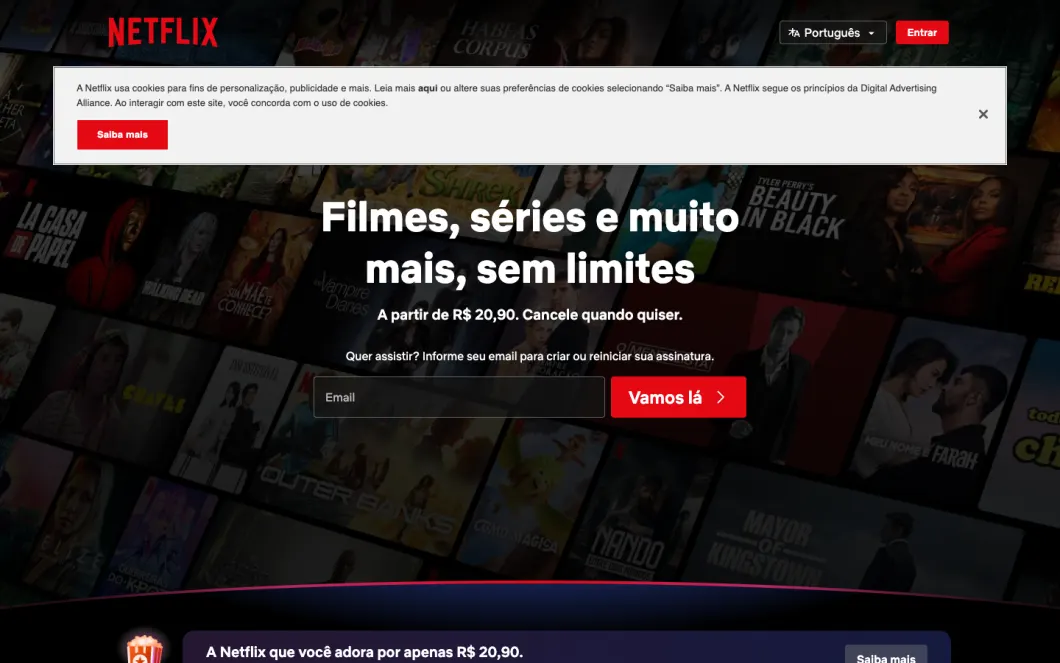
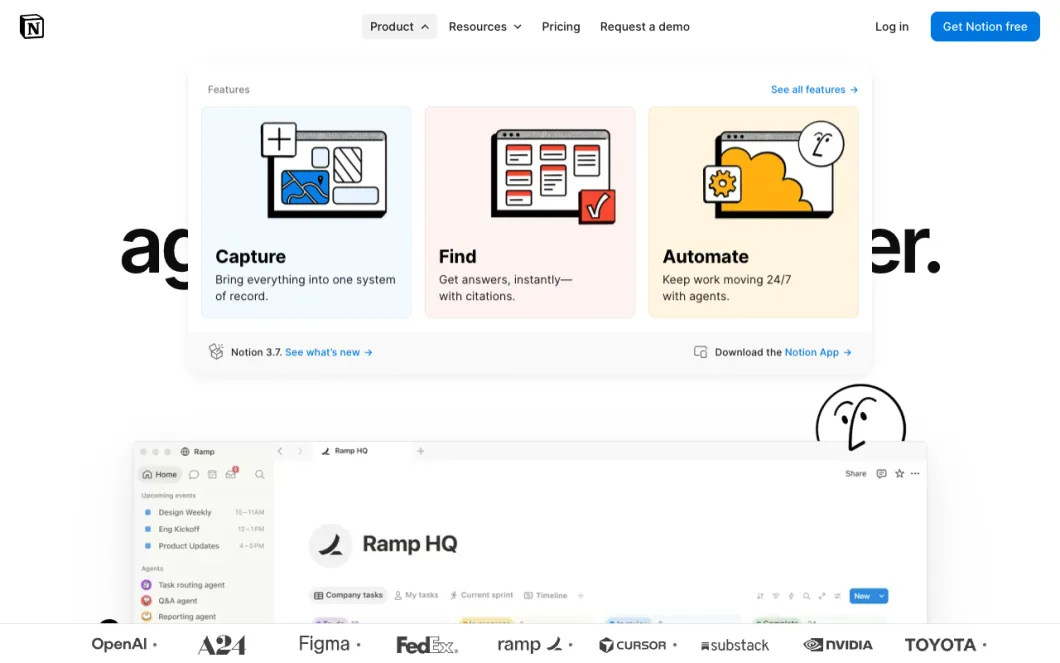
The same address, three countries, three different pages. Ask for a country and see what people there see: the browser also uses the main language and the main time zone of that country.
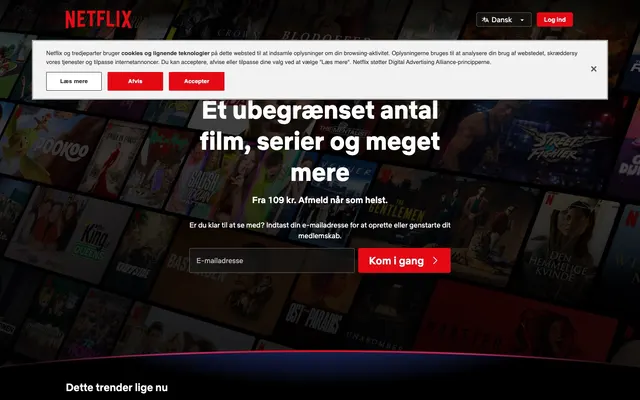
&country=DK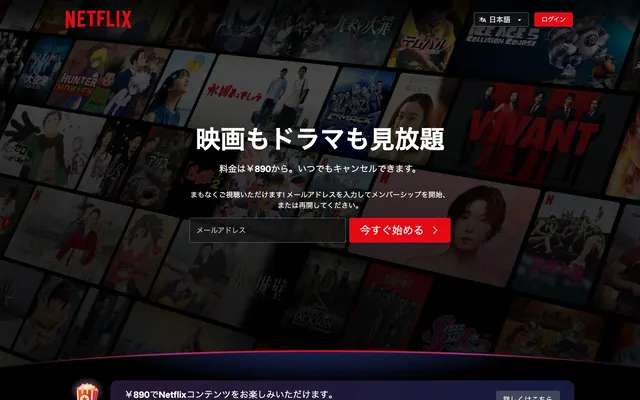
&country=JP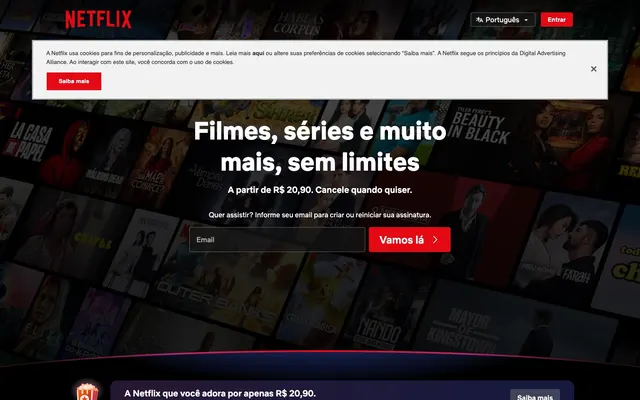
&country=BRReal screenshots of the same address, taken on 8 October 2026. The country shown is the one we observed when the page loaded.
A screenshot taken from a country comes with a signed record of where it was really loaded from. See all 227 countries
Try it now. One URL, one screenshot.
One quick check first.
Confirm you are human, then the screenshot starts by itself.
And a lot more. Just ask for it.
Tap what you need. The sentence writes itself, and your AI does the rest.
Take a screenshot of example.com, only the pricing table, on an iPhone, in dark mode and save it as a PDF.
What to capture
When
How it looks
What comes back
Save it as
What we do not do: solve CAPTCHAs, or get past paywalls and sign-ins. You get a clear error instead.
Or call it from your code. It is one HTTP request.
The same screenshot your AI takes, from the language you already use. Send a URL, get the image back.
- No SDK to install, only your HTTP client
- Your key goes in one header, never in the address
- Every option is a parameter, the same in every language
curl -G "https://api.localscreenshot.com/v1/screenshot" \
  --data-urlencode 'url=https://www.wikipedia.org' \
  --data-urlencode 'full_page=true' \
  --data-urlencode 'block_cookie_banners=true' \
  --data-urlencode 'format=webp' \
  -H "Authorization: Bearer $LOCALSCREENSHOT_API_KEY" \
  -o shot.webp
const params = new URLSearchParams({
  "url": "https://www.wikipedia.org",
  "full_page": "true",
  "block_cookie_banners": "true",
  "format": "webp"
});
const response = await fetch(`https://api.localscreenshot.com/v1/screenshot?${params}`, {
  headers: { Authorization: `Bearer ${process.env.LOCALSCREENSHOT_API_KEY}` },
});
const { writeFile } = await import("node:fs/promises");
await writeFile("shot.webp", Buffer.from(await response.arrayBuffer()));
import os
import requests

response = requests.get(
    "https://api.localscreenshot.com/v1/screenshot",
    params={
      "url": "https://www.wikipedia.org",
      "full_page": "true",
      "block_cookie_banners": "true",
      "format": "webp"
    },
    headers={"Authorization": "Bearer " + os.environ["LOCALSCREENSHOT_API_KEY"]},
)
open("shot.webp", "wb").write(response.content)
<?php

$curl = curl_init("https://api.localscreenshot.com/v1/screenshot?".http_build_query(["url" => "https://www.wikipedia.org", "full_page" => "true", "block_cookie_banners" => "true", "format" => "webp"]));
curl_setopt_array($curl, [
    CURLOPT_RETURNTRANSFER => true,
    CURLOPT_HTTPHEADER => ["Authorization: Bearer ".getenv("LOCALSCREENSHOT_API_KEY")],
]);
$body = curl_exec($curl);
file_put_contents("shot.webp", $body);
package main

import (
	"io"
	"net/http"
	"net/url"
	"os"
)

func main() {
	params := url.Values{}
	params.Set("url", "https://www.wikipedia.org")
	params.Set("full_page", "true")
	params.Set("block_cookie_banners", "true")
	params.Set("format", "webp")
	request, err := http.NewRequest("GET", "https://api.localscreenshot.com/v1/screenshot?"+params.Encode(), nil)
	if err != nil {
		panic(err)
	}
	request.Header.Set("Authorization", "Bearer "+os.Getenv("LOCALSCREENSHOT_API_KEY"))
	response, err := http.DefaultClient.Do(request)
	if err != nil {
		panic(err)
	}
	defer response.Body.Close()
	file, err := os.Create("shot.webp")
	if err != nil {
		panic(err)
	}
	defer file.Close()
	io.Copy(file, response.Body)
}
require "net/http"
require "uri"

uri = URI("https://api.localscreenshot.com/v1/screenshot")
uri.query = URI.encode_www_form(
  "url" => "https://www.wikipedia.org",
  "full_page" => "true",
  "block_cookie_banners" => "true",
  "format" => "webp",
)
request = Net::HTTP::Get.new(uri)
request["Authorization"] = "Bearer #{ENV.fetch("LOCALSCREENSHOT_API_KEY")}"
response = Net::HTTP.start(uri.host, uri.port, use_ssl: uri.scheme == "https") { |http| http.request(request) }
File.binwrite("shot.webp", response.body)
import java.net.URI;
import java.net.URLEncoder;
import java.net.http.HttpClient;
import java.net.http.HttpRequest;
import java.net.http.HttpResponse;
import java.nio.charset.StandardCharsets;
import java.nio.file.Path;
import java.util.LinkedHashMap;
import java.util.Map;
import java.util.stream.Collectors;

public class Screenshot {
    public static void main(String[] args) throws Exception {
        Map<String, String> params = new LinkedHashMap<>();
        params.put("url", "https://www.wikipedia.org");
        params.put("full_page", "true");
        params.put("block_cookie_banners", "true");
        params.put("format", "webp");
        String query = params.entrySet().stream()
            .map(e -> e.getKey() + "=" + URLEncoder.encode(e.getValue(), StandardCharsets.UTF_8))
            .collect(Collectors.joining("&"));
        HttpRequest request = HttpRequest.newBuilder(URI.create("https://api.localscreenshot.com/v1/screenshot?" + query))
            .header("Authorization", "Bearer " + System.getenv("LOCALSCREENSHOT_API_KEY"))
            .GET()
            .build();
        HttpClient.newHttpClient().send(request, HttpResponse.BodyHandlers.ofFile(Path.of("shot.webp")));
    }
}
using System.Net.Http.Headers;

var query = string.Join("&", new Dictionary<string, string>
{
    ["url"] = "https://www.wikipedia.org",
    ["full_page"] = "true",
    ["block_cookie_banners"] = "true",
    ["format"] = "webp",
}.Select(p => $"{p.Key}={Uri.EscapeDataString(p.Value)}"));

using var client = new HttpClient();
client.DefaultRequestHeaders.Authorization = new AuthenticationHeaderValue("Bearer", Environment.GetEnvironmentVariable("LOCALSCREENSHOT_API_KEY"));
var response = await client.GetAsync("https://api.localscreenshot.com/v1/screenshot?" + query);
await File.WriteAllBytesAsync("shot.webp", await response.Content.ReadAsByteArrayAsync());
$LOCALSCREENSHOT_API_KEY and saves shot.webp.
What agents and teams do with localscreenshot.
Let your agent check its own work
It builds a page, takes a screenshot, sees what is off and fixes it before you look.
Visual QA after every deploy
Have your pipeline or your agent capture your key pages on each release, on desktop and phone, and compare them with the last run.
Watch a page for changes
Pricing pages, listings, terms. Have your agent take the same screenshot again tomorrow and tell you what moved.
Previews and thumbnails
Link cards, directory listings, social images. Clean captures, with most cookie banners removed.
Keep a record of a page
Capture a page as it looked on a given day, with the time and the country it was taken from.
See it from another country
Check a geo-block, a redirect, a price or a consent banner the way visitors there get it.
10,000 screenshots a month for €59.
1 credit each. Slide to your volume, change it or stop whenever you want.
Every month
That is €0.0059 a screenshot. No commitment: the month you paid for stays yours.
Not every month?
Buy 5,000 credits once for €49. They do not expire.
New here?
50 credits are free every month. No card. They do not carry over to the next month.
Good to know.
What is localscreenshot?
A screenshot API made for AI agents. Your agent, a script or a single request gives the address of a public web page and gets the image back, ready to read or to share.
Do I need to write code?
No. Connect it to your AI tool once, by copying what we give you, then ask in plain words: "take a screenshot of this page on a phone". If you do write code, the same thing is one request to the REST API.
Which AI tools does it work with?
Most tools that can use an MCP server, such as Claude, Claude Code, Cursor, Codex, VS Code and Gemini CLI. Pick yours and copy its setup. Anything else can call the API.
What does "from a country" mean?
The page is loaded from an address in the country you choose, among 227, so you see what people there see. The browser uses the main language and the main time zone of that country, unless you choose otherwise. Each of these screenshots comes with a signed technical record of the country it was really loaded from. If we cannot confirm the country, you pay nothing.
What can I ask for?
The full page or one element, on a desktop, a tablet or a phone, in light or dark mode, as an image or a PDF. Cookie banners and ads are hidden on most sites.
What can it not do?
It reads public pages only. It does not sign in, get past a paywall or solve a CAPTCHA, and some sites refuse automated visits. In those cases you get a clear error, and it is not charged.
How much does it cost?
You get 50 free credits every month, no card. A screenshot uses 1, or 2 from a chosen country. After that, plans start at €19 a month for 2,000 credits, or you buy a pack that does not expire. Pricing questions
How long do you keep my screenshots?
7 days. They are stored in your account, you can delete one at any time, and after that delay the image is removed for good.
Give your agent eyes. Start with one URL.
50 free credits every month, no card. Connect the MCP server and ask in one sentence.